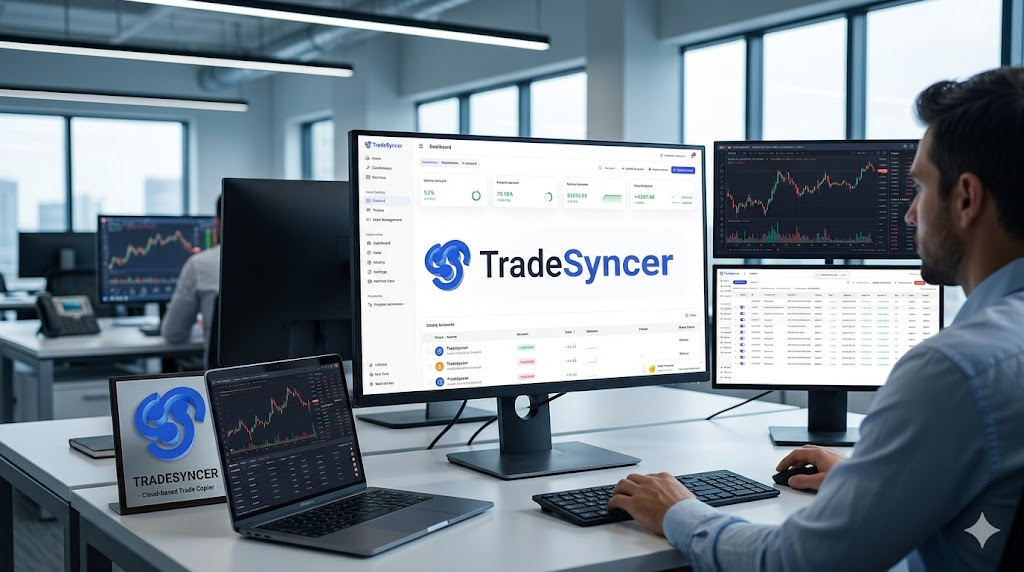
If you've ever tried to manage five funded futures accounts at once with nothing but two monitors and unreasonable optimism, you already know the problem. Click into account one, fire the entry, switch tabs, fire it again, switch tabs, fumble the stop, watch ES rip another 12 ticks while you're still on account three. TradeSyncer is the cloud-based trade copier that exists because that workflow was never going to scale — it mirrors trades from a single lead account out to dozens of follower accounts in under 100ms, with daily-loss guardrails wired in so one cold-call from your in-laws doesn't blow out twelve evaluations at once.
This article walks through what TradeSyncer actually does, who it's built for, how the risk module works, what it costs in 2026, and where it falls short. If you're a prop firm trader running anything more than two accounts, this is the category of tool you should at least understand — even if you don't subscribe.
What TradeSyncer Actually Is
TradeSyncer is a cloud-based trade copier and risk management platform built specifically for futures traders, with heavy emphasis on the prop firm crowd. The pitch is simple: connect a lead account, connect follower accounts, place one trade, and the platform replicates it across every connected account with sub-100ms latency. It connects with prop firm and live accounts from top brokers and data feeds and integrates with platforms like NinjaTrader, Tradovate, TradingView, Rithmic, ProjectX, Volumetrica, and DxFeed — which covers most of what funded futures traders are actually using. The whole thing runs in the cloud, which means no VPS to rent, no local install, and no panicked phone call to your buddy at 9:25 AM when your PC decides today is the day it updates Windows (TradeSyncer official site).
The platform is not a prop firm. It does not fund anyone, evaluate anyone, or hand out payouts — it's a tool that sits alongside your existing funded and live accounts and handles the execution plumbing. That distinction matters because new traders confuse the two constantly, and TradeSyncer's own marketing has had to clarify it on the record (PROPPED review).
The Core Use Case: Multi-Account Copy Trading
The whole product makes sense if you understand what it's like to scale prop firm accounts. A trader who passes one evaluation usually wants to stack more — five, ten, twenty funded accounts at $50K to $150K each, all running the same strategy. Doing that manually is a coordination nightmare; one misclick on account four and you've got mismatched positions, asymmetric risk, and a reconciliation problem that ruins your Sunday. TradeSyncer's lead-to-follower model solves that by treating the lead account as the source of truth and pushing every fill, every bracket, and every cancel to the followers automatically. For more on how traders scale evaluations to begin with, see our coverage of prop firms and evaluation strategy.
Per-follower sizing is where it gets useful. Each follower can be scaled up or down — trade one contract on the lead, copy two on a $150K account, copy one on a $50K account, skip a $25K account entirely. That ratio control is what separates a real copier from a dumb mirror, and it's also what keeps you compliant with each prop firm's individual position limits. Cross-broker support means a Rithmic-routed leader can feed Tradovate followers, which is rare in the local-software copier world (Lune comparison review).
Built-In Risk Management — The Real Selling Point
If the copier was all TradeSyncer did, it'd be a commodity. The piece that actually justifies the subscription is the risk management module, because the failure mode of multi-account copy trading is brutal: one bad morning, one revenge trade, one fat finger, and you've simultaneously breached the daily loss limit on every account you're running. TradeSyncer lets you set daily loss limits, profit targets, and time-based session lockouts that automatically flatten positions and disable trading once thresholds are hit — on a per-account basis, so a blown account doesn't drag down the rest. The math gets ugly fast: ten funded accounts at $200 to $400 in evaluation fees each means one multi-account violation can cost you two to four thousand dollars and weeks of rebuilding, which makes the subscription cost look like a rounding error (The Prop Firm Guide).
The lockout enforcement is what matters. Most traders know they need a daily loss limit. Most traders also override it the second they're down 80% of the way to it and certain the next setup is the one. TradeSyncer doesn't argue with you — it just locks the account when the number is hit, which is exactly what a non-trading version of you wanted three hours earlier. There are also drawdown alerts, session restrictions, and automatic lockouts tied to thresholds you set once and forget. For traders who struggle with discipline (which is, statistically, all of us), this is the closest thing to a hardware-enforced cooling-off period the retail world has produced (DamnPropFirms review). For the underlying discipline problem itself, our piece on trading psychology and risk discipline covers why the override impulse is so persistent.
Pricing in 2026
TradeSyncer runs a three-tier subscription with a 7-day free trial on every plan, and annual billing knocks 20% off the monthly rate. The current plans are Basic at $49/month (2 connections, 10 accounts each), Pro at $99/month (4 connections, 20 accounts), and Flex at $149/month (unlimited connections, up to 120 accounts). All plans include the core copier, risk management, trading journal, and economic calendar — the tiers gate scale, not features (Lune review).
| Plan | Monthly Price | Annual Price | Connections | Accounts |
|---|---|---|---|---|
| Basic | $49 | $39/mo equiv. | 2 | 20 total |
| Pro | $99 | $79/mo equiv. | 4 | 80 total |
| Flex | $149 | $119/mo equiv. | Unlimited | 120+ (add more) |
Where TradeSyncer Falls Short
It's not flawless. The platform is futures-focused — if you're trading forex, equities, or options, this isn't the tool for you, and you'd be better served by a different copier or a journal-first platform. Reviews note that advanced ATM-style strategies still require manual work, and that during extreme CME volatility windows (think CPI prints, FOMC), websocket latency can spike beyond the advertised sub-100ms band; testing in sim mode first is the standard recommendation. A handful of user reviews also flag occasional bugs in the mobile app and auto-sync hiccups that traders should pressure-test before committing real capital (Lune review).
The other limitation worth flagging: the per-account daily loss limit and daily profit target features have been listed as "coming soon" on the official risk management page for parts of 2025–2026, with the help center confirming the daily loss lockout is now live. Anyone evaluating the platform today should verify which specific risk features are fully shipped versus still rolling out before they assume something is enforceable (TradeSyncer Help Center).
Who Should Actually Use This
The honest answer: if you're running fewer than three accounts, you probably don't need it yet — the spreadsheet-and-discipline approach still works at small scale, and you'd be better off spending the $49/mo on better data or more evaluations. If you're running three or more funded accounts, especially across multiple prop firms, the multi-account execution problem becomes structural, and the risk module alone justifies the cost. Algorithmic traders broadcasting signals from TradingView to broker accounts also fit cleanly into the use case, since TradeSyncer accepts TradingView webhook alerts as a lead-account input (TradingBrokers review).
For traders evaluating their first prop firm or still figuring out whether futures is even the right path, this tool is overkill. Earn the problem first, then buy the solution.
How TradeSyncer Compares to the Competition
TradeSyncer isn't the only game in town, and pretending it is would be a disservice. The trade copier space has gotten crowded — Replikanto is the old guard, Tradecopia and Lune are the aggressive newer entrants, and ETP exists for the latency obsessives. Each one trades off something different. Here's how the four main competitors actually stack up against TradeSyncer in 2026.
| Copier | Architecture | Latency | Starting Price | Best For |
|---|---|---|---|---|
| TradeSyncer | Cloud | <100ms | $49/mo | Prop firm scalers wanting risk built in, no VPS |
| Replikanto | Local (NT8 add-on) | 5–15ms (sub-1ms on VPS) | $149–$299 lifetime | NinjaTrader-only traders, one-time payment |
| Tradecopia | Local desktop | ~1.6ms | $39–$129/mo | Scalpers, unlimited accounts on lower tiers |
| Lune Trade Copier | Cloud | 5–10ms (websocket) | $39/mo | Cross-broker cloud, 100+ prop firm integrations |
| ETP Trade Copier | Local (NT8 add-on) | ~5ms | Varies | High-frequency scalpers needing stealth mode |
TradeSyncer vs Replikanto
This is the classic cloud-vs-local matchup. Replikanto is a NinjaTrader 8 plug-in with a $299 lifetime license that's been around long enough to be the default answer when someone asks "what trade copier should I use?" — it does sub-millisecond replication on a VPS, includes Follower Guard for divergence detection, and recently added a Compliance Mode approved by Apex and Tradeify. The catch is it's NinjaTrader-locked, requires you to run a VPS (which adds $60–$200/mo, killing the lifetime-license advantage), and its risk management is reactive rather than preemptive — Follower Guard flags problems after they happen, not before. TradeSyncer's pitch against Replikanto is cross-platform support, no VPS overhead, and lockout-style risk enforcement. Replikanto's pitch back is faster execution and a one-time payment (QuantVPS Replikanto review).
TradeSyncer vs Tradecopia
Tradecopia is the speed-and-scale challenger. It runs locally on Windows, averages 1.6ms replication latency, and offers unlimited accounts on a $49.99/month Pro plan — which on paper looks like a better deal than TradeSyncer Flex at $149/month if all you care about is the copying. The trade-offs are real, though: Tradecopia requires a Windows machine running 24/7 (or a VPS), and it's a desktop app with the maintenance overhead that comes with that. TradeSyncer's cloud-native architecture means accounts stay synced even when your computer is off, which matters more than people admit until the one morning their machine reboots for updates ten minutes before the open (QuantVPS Tradecopia comparison).
TradeSyncer vs Lune Trade Copier
Lune is the closest direct competitor — both are cloud-native, both target the prop firm crowd, both eliminate the VPS requirement. Lune undercuts on price at $39/month and claims faster 5–10ms websocket execution, plus auto mini/micro contract conversions (ES to MES) and 100+ prop firm integrations. TradeSyncer is the more mature platform with deeper risk management features, a wider track record, and the built-in journal that Lune treats as a separate concern. If you're price-sensitive and your strategy doesn't need TradeSyncer's specific risk module, Lune is worth a look. If risk enforcement is the whole reason you're shopping for a copier in the first place, TradeSyncer is still the more complete package. Worth noting: most of the comparison content currently ranking on Google is published by Lune itself, so calibrate accordingly — see our broader take on day trading tools for context on how to evaluate vendor-sponsored reviews (Lune comparative review).
Getting Started With TradeSyncer
The onboarding is genuinely straightforward — which is rare for trading tools, where setup friction is usually a sport. The full path from cold start to first copied trade looks like this:
- Sign up and start the trial. Email, no card required, 7-day full-feature access. Pick a plan based on how many accounts you actually need to connect — most traders start on Pro and only move to Flex once they're past four prop firms.
- Connect your lead account. Authorize your broker or prop firm credentials inside the TradeSyncer dashboard. Supported platforms are NinjaTrader, Tradovate, TradingView, Rithmic, ProjectX, Volumetrica, and DxFeed.
- Add follower accounts and set sizing ratios. For each follower, define the contract multiplier — 1x, 2x, 0.5x, or skip entirely based on account size and prop firm rules.
- Configure risk rules per account. Set daily loss limits, profit targets, and session-based lockouts. Test these in sim mode before going live — the lockout enforcement is automatic and unsentimental.
- Place a test trade in sim. Verify the copy fires across all followers, check the latency, confirm bracket orders propagate correctly. Do this before live capital, not after.
Start the TradeSyncer 7-Day Free Trial →
The Bottom Line
TradeSyncer is the right tool for a specific trader: someone running three or more funded futures accounts who wants cloud execution, no VPS overhead, and risk rules that fire automatically when discipline fails. It's not the cheapest, it's not the fastest, and it's not the only option — but the combination of cross-platform support, built-in risk management, and the cloud-native architecture is hard to beat in one package. For solo traders with one or two accounts, the value isn't there yet. For multi-account prop firm operators, the math is straightforward: one prevented violation pays for years of subscription, and that's before you account for the time you're not spending clicking the same trade into five different platforms.
Try TradeSyncer Free for 7 Days →
Frequently Asked Questions
Is TradeSyncer a prop firm?
No. TradeSyncer is software that copies trades between accounts and enforces risk rules. It doesn't fund traders, run evaluations, or pay out profits — it works alongside whatever prop firm or live broker accounts you already have.
Is copy trading allowed by prop firms?
Most major futures prop firms permit copy trading between accounts the same trader owns, but rules vary. Always read your specific firm's policy before connecting accounts, especially around news trading and HFT-style strategies.
Do I need a VPS to use TradeSyncer?
No. TradeSyncer is fully cloud-based, so there's no local install or VPS requirement. Accounts stay synced even if your computer is off or disconnected from the internet.
How fast does TradeSyncer execute copied trades?
The platform advertises sub-100ms execution from lead to followers under normal market conditions. Latency can widen during extreme volatility (CPI, FOMC), so testing in sim mode is recommended before scaling capital.
How much does TradeSyncer cost in 2026?
Plans start at $49/month for Basic (2 connections, 20 accounts), $99/month for Pro (4 connections, 80 accounts), and $149/month for Flex (unlimited connections, 120+ accounts). Annual billing saves 20%, and all plans include a 7-day free trial.
Which platforms does TradeSyncer support?
NinjaTrader, Tradovate, TradingView, Rithmic, ProjectX, Volumetrica, and DxFeed. That covers most futures and prop firm setups but excludes forex-only and equities-only workflows.
What are the main alternatives to TradeSyncer?
The main competitors are Replikanto (NinjaTrader-native, $299 lifetime, requires VPS), Tradecopia (desktop, ~1.6ms latency, unlimited accounts from $49/mo), Lune Trade Copier (cloud-native, $39/mo, faster websocket execution), and ETP Trade Copier (NinjaTrader add-on for scalpers). TradeSyncer's edge is the combination of cloud architecture, cross-platform support, and built-in risk management in one package.